
Mobile analogue or hybrid organisational and time-management system
Started by Dr Andus
on 2/11/2018
Ken
2/12/2018 6:47 am
Fascinating topic, and I feel you pain as you might have guessed by many of my past posts over the years about feeling overwhelmed. I am not sure if my comments will fully address your challenges, but you might be able to pull a few nuggets out.
Like many of us, I find that I cannot fully and effectively function in a digital-only world for task and time management. While Google Calendar and Todoist help me manage my personal life, and Outlook and My Life Organized try to manage my work life, I find that sometimes I just need a pen and paper when I am feeling overwhelmed. I have been (again) tempted to try and find a replacement for MLO, but have taken a different approach in recent weeks. Instead of leaving MLO, I have been trying two different methods of task management (at the same time no less).
First, I used to keep a small notepad in front of my computer that I could use to capture tasks and notes quickly (or more quickly than if I entered them into MLO). While this worked for a while, the pages started to fill up, so I am trying a slightly different approach. I am using small lined post-it notes where I can decide what I want to accomplish for the day and just concentrate on that list instead of having MLO open on my computer. I realized, and to some degree have accepted, that I am constantly interrupted during my day and that when I am not, I should be working on the items on my post-it list. This does not help my ability to manage and prioritize my time, but it does reduce my stress level as I am only looking at a short list of critical items. I know that programs offer this ability to sort and display, but then I am "in the program" and want to spend time reviewing and prioritizing and that is a time vampire in and of itself. Since I figuring the best thing to do is keep working as best I can, I keep the list reasonable and know that I can generate another one anytime it is needed.
The other thing that I am trying is to use Trello in a similar fashion. I have a very simple set-up with three columns - In Progress, On Hold and Not Started. I quickly focus on the three lists and only get involved with the program when an item is deleted or moved from one column to another. It is a bit like a digital version of a post-it note in that I keep it simple and use it to remind me what I need to do. I know that MLO would offer this type of sort/display ability, but as I said above, I want to stay out of the program for the time being until I can feel like I am in control of the program and it is not a time vampire. This really is a temporary solution, and perhaps a placebo to keeping me from switching away from MLO, but for the time being, it is helping me form feeling completely overwhelmed. And it it works for now, I find that better than sitting at my desk and pondering about a more perfect solution/program.
I have often said that if I just had my old, beloved Ecco back that I could keep on top of things, but I do wonder if that were so would things still be a bit messy in my work life? Times have changed and work flows have changed as well, and perhaps Ecco is just a metaphor for simpler times in the office?
I wish you luck and hope you find (and report back to the forum) a workable solution.
Good luck,
--Ken
Like many of us, I find that I cannot fully and effectively function in a digital-only world for task and time management. While Google Calendar and Todoist help me manage my personal life, and Outlook and My Life Organized try to manage my work life, I find that sometimes I just need a pen and paper when I am feeling overwhelmed. I have been (again) tempted to try and find a replacement for MLO, but have taken a different approach in recent weeks. Instead of leaving MLO, I have been trying two different methods of task management (at the same time no less).
First, I used to keep a small notepad in front of my computer that I could use to capture tasks and notes quickly (or more quickly than if I entered them into MLO). While this worked for a while, the pages started to fill up, so I am trying a slightly different approach. I am using small lined post-it notes where I can decide what I want to accomplish for the day and just concentrate on that list instead of having MLO open on my computer. I realized, and to some degree have accepted, that I am constantly interrupted during my day and that when I am not, I should be working on the items on my post-it list. This does not help my ability to manage and prioritize my time, but it does reduce my stress level as I am only looking at a short list of critical items. I know that programs offer this ability to sort and display, but then I am "in the program" and want to spend time reviewing and prioritizing and that is a time vampire in and of itself. Since I figuring the best thing to do is keep working as best I can, I keep the list reasonable and know that I can generate another one anytime it is needed.
The other thing that I am trying is to use Trello in a similar fashion. I have a very simple set-up with three columns - In Progress, On Hold and Not Started. I quickly focus on the three lists and only get involved with the program when an item is deleted or moved from one column to another. It is a bit like a digital version of a post-it note in that I keep it simple and use it to remind me what I need to do. I know that MLO would offer this type of sort/display ability, but as I said above, I want to stay out of the program for the time being until I can feel like I am in control of the program and it is not a time vampire. This really is a temporary solution, and perhaps a placebo to keeping me from switching away from MLO, but for the time being, it is helping me form feeling completely overwhelmed. And it it works for now, I find that better than sitting at my desk and pondering about a more perfect solution/program.
I have often said that if I just had my old, beloved Ecco back that I could keep on top of things, but I do wonder if that were so would things still be a bit messy in my work life? Times have changed and work flows have changed as well, and perhaps Ecco is just a metaphor for simpler times in the office?
I wish you luck and hope you find (and report back to the forum) a workable solution.
Good luck,
--Ken
MadaboutDana
2/12/2018 10:14 am
I love the phrase "eek out", but I suspect you actually meant "eke out"?
I eek out all the time! Not to mention squeeking, freeking and geeking...
I eek out all the time! Not to mention squeeking, freeking and geeking...
More concretely, as an academic, I need to make sure that whenever
possible, I am able to eek out time for reading and writing (and
planning future research projects) every single day, besides unavoidable
duties such as teaching hours and administrative and management duties.
Paul Korm
2/12/2018 10:19 am
Ken's post and others reminded me of a couple of once-popular organizing approaches from the pre-digital world. Tickler files (or folders or even just a deck of index cards). In this scheme, one kept a set of file folders or a set of cards -- 31 for days of a month, 12 for months -- in which things scheduled for the current month were put in one of the day folders or written on a card for each day, and things scheduled for a future month were put into folder for a future month or written on a card for that month. Sometimes both cards and folders were used -- the cards containing todo lists that were kept in a day or month folder along with documents to be dealt with on that future day or month.
Since most documents are digital now, the folder part of the tickler method can be discarded but the index cards can still be useful. It's easy to have a deck of index cards clipped by a binder clip or rubber band. Each day, the top most card is dealt with -- the tasks on the card are scheduled, finished, and stuck off. When new tasks come up they are written on today's card or on a card for a future day or month. Add a new day card to the end of the deck every day. At the start of a month, break down the month card for that month into day cards and add a new month to the end of the deck. (I don't remember the exact transition between months and days.)
David Allen took this public-domain concept, wrote it into a book, and got rich off "Getting Things Done". I'm no fan of the GTD fetish, but the old school tickler card concept it came from makes sense. The idea behind the scheme is to let the "organizer" or "tickler" system be one's memory and -- like Ken suggested -- focus only on today's list. I think others are suggesting similar.
Since most documents are digital now, the folder part of the tickler method can be discarded but the index cards can still be useful. It's easy to have a deck of index cards clipped by a binder clip or rubber band. Each day, the top most card is dealt with -- the tasks on the card are scheduled, finished, and stuck off. When new tasks come up they are written on today's card or on a card for a future day or month. Add a new day card to the end of the deck every day. At the start of a month, break down the month card for that month into day cards and add a new month to the end of the deck. (I don't remember the exact transition between months and days.)
David Allen took this public-domain concept, wrote it into a book, and got rich off "Getting Things Done". I'm no fan of the GTD fetish, but the old school tickler card concept it came from makes sense. The idea behind the scheme is to let the "organizer" or "tickler" system be one's memory and -- like Ken suggested -- focus only on today's list. I think others are suggesting similar.
MadaboutDana
2/12/2018 10:26 am
After my rather frivolous remark above, I've very much enjoyed reading this thread. Fascinating! What a lot of good ideas!
There is something about being constrained to a screen and keyboard that becomes very exhausting. On the other hand, various postural problems I've had to deal with over the years undoubtedly arose because of my dreadful posture while writing in schoolbooks/notebooks/on paper.
I think Dr Andus's remark about using a Chromebook for instant note-taking is interesting, too. I used to take an iPad with keyboard case along with me for similar reasons, but funnily enough, laptops/notebooks still have the edge when it comes to fast, efficient note-taking, so nowadays I tend to grab for my MacBook Air first of all.
Looking back, I suppose that was one of the great attractions of the original netbooks (like the minute Asus whatever-the-number-was, which I still have tucked away in a box somewhere - the battery life eventually deteriorated to unusable, but I was very fond of it for a long time; just as I was fond of my AlphaSmart Dana, Compaq WinCE device and other light but robust keyboard-based solutions; how life flows by...)
There is something about being constrained to a screen and keyboard that becomes very exhausting. On the other hand, various postural problems I've had to deal with over the years undoubtedly arose because of my dreadful posture while writing in schoolbooks/notebooks/on paper.
I think Dr Andus's remark about using a Chromebook for instant note-taking is interesting, too. I used to take an iPad with keyboard case along with me for similar reasons, but funnily enough, laptops/notebooks still have the edge when it comes to fast, efficient note-taking, so nowadays I tend to grab for my MacBook Air first of all.
Looking back, I suppose that was one of the great attractions of the original netbooks (like the minute Asus whatever-the-number-was, which I still have tucked away in a box somewhere - the battery life eventually deteriorated to unusable, but I was very fond of it for a long time; just as I was fond of my AlphaSmart Dana, Compaq WinCE device and other light but robust keyboard-based solutions; how life flows by...)
Luhmann
2/12/2018 1:10 pm
It is pretty basic but this iOS day planning app might be helpful.
Long Day – Day Planner by Yoeyo, Ltd.
https://itunes.apple.com/us/app/long-day-day-planner/id1062689795?mt=8
Long Day – Day Planner by Yoeyo, Ltd.
https://itunes.apple.com/us/app/long-day-day-planner/id1062689795?mt=8
Leib Moscovitz
2/12/2018 4:29 pm
Apropos hybrid systems, these (inter alia) will be discussed in the new productivity course being launched tomorrow by Shawn Blanc, All the Things (https://thesweetsetup.com/things/ - if you're interested in paying $39 for the course (earlybird pricing!).
Needless to say, I have no connection with this - just passing on the info for whoever might be interested. (I received a detailed description of the course in an email from Shawn, far more detailed than the info in the aforementioned website, where it is mentioned that hybrid systems will be discussed, as well as using a productivity journal, scheduling your day to maintain focus and breathing room, detailed notebook walkthrough, etc.)
Needless to say, I have no connection with this - just passing on the info for whoever might be interested. (I received a detailed description of the course in an email from Shawn, far more detailed than the info in the aforementioned website, where it is mentioned that hybrid systems will be discussed, as well as using a productivity journal, scheduling your day to maintain focus and breathing room, detailed notebook walkthrough, etc.)
Hugh
2/12/2018 5:17 pm
I agree with other posters in this thread who have implied that there are a least two sides to arranging one's working life: first, collecting and prioritising a flexible list of tasks, and, second, scheduling them. For many people, including me, scheduling most usefully involves planning by the hour (although of course the best schedules are made to be broken).
At some times, I have constructed task lists using analogue methods, and at others using digital means - although of course digital means generally permit frequent changes and therefore more flexibility.
I have tended to schedule using analogue methods. As I've found in writing in other contexts and others here have noted, there's a mental power in using a pencil or a pen that using a keyboard tends to lack. For me, using a pencil or a pen demands more attention and consideration. One analogue tool I've used is to be found here: https://davidseah.com/node/the-emergent-task-planner/ - though I sense that this might be too fussy for some.
But I've also found very useful the ability to drag-and-drop tasks from OmniFocus (on the Mac) to any one of the major Mac calendar applications (Calendar, Fantastical or BusyCal). It's almost too useful in actuality, because for me dragging and dropping something requires less mental focus than writing it down.
At some times, I have constructed task lists using analogue methods, and at others using digital means - although of course digital means generally permit frequent changes and therefore more flexibility.
I have tended to schedule using analogue methods. As I've found in writing in other contexts and others here have noted, there's a mental power in using a pencil or a pen that using a keyboard tends to lack. For me, using a pencil or a pen demands more attention and consideration. One analogue tool I've used is to be found here: https://davidseah.com/node/the-emergent-task-planner/ - though I sense that this might be too fussy for some.
But I've also found very useful the ability to drag-and-drop tasks from OmniFocus (on the Mac) to any one of the major Mac calendar applications (Calendar, Fantastical or BusyCal). It's almost too useful in actuality, because for me dragging and dropping something requires less mental focus than writing it down.
Sharknader
2/12/2018 7:15 pm
For those who use Trello, the company called Cronofy (https://trello.cronofy.com/ provides a 2-way calendar sync for Trello items with due dates. It essentially lets you view and re-arrange Trello tasks in you main calendar, thus organizing them by priority and around meetings/appointments, as well as adjusting the length of time you expect to spend on these. If you are ambitious enough you could do an entire week like that, but my days are unpredictable enough to make planning for more than 2 days out unhelpful. With this set up, I only need to look at my calendar to figure out what I'm doing next and if a task gets postponed or replaced, I just move it to the next available time block. Trello then gets updated automatically.
Dr Andus
2/12/2018 11:42 pm
@kjxymzy
Thank you so much for going into the trouble to lay out your system in such detail.
It looks very interesting. I will need to block some time out to properly delve into it, to see how I could adopt it.
Thank you so much for going into the trouble to lay out your system in such detail.
It looks very interesting. I will need to block some time out to properly delve into it, to see how I could adopt it.
kjxymzy
2/13/2018 9:52 pm
I hope it proves fruitful.
Some more time blocking "ideas":
Blocking at once a week at weekly level (with daily updates) would be the next level (another link via Cal Newport):
Spend More Time Managing Your Time
http://calnewport.com/blog/2015/11/03/spend-more-time-managing-your-time/
Another time blocking technique that may make sense for you is blocking in distraction time, like surfing the web, and blocking leisure time.
Andrew Ruiz discusses this a bit here @ https://threadreaderapp.com/thread/963241242967470080.html
Dr Andus wrote:
Some more time blocking "ideas":
Blocking at once a week at weekly level (with daily updates) would be the next level (another link via Cal Newport):
Spend More Time Managing Your Time
http://calnewport.com/blog/2015/11/03/spend-more-time-managing-your-time/
It’s hard work figuring out how to make a productive schedule come together: a goal that requires protecting long stretches of speculative deep thinking while keeping progress alive on long term projects and dispatching the small things fast enough to avoid trouble (but not so fast that the deep stretches fragment).
During today’s planning session, for example, I had to balance immediate obligations like a paper deadline this evening, with short term obligations like grading midterms, with the many medium range obligations mounting from my next book launch, to long term obligations, like the need to continue to make progress on the theorems needed for an important February deadline.
Sprinkle in a dash of appointments and a heavy dollop of tasks and it’s completely reasonable to expect that making sense of these pieces would require some serious thinking.
Another time blocking technique that may make sense for you is blocking in distraction time, like surfing the web, and blocking leisure time.
Andrew Ruiz discusses this a bit here @ https://threadreaderapp.com/thread/963241242967470080.html
::That you should schedule time for distractions, but they should stay separate from leisure.::So often, I’ll mindlessly check my phone at the end of the day, but that doesn’t really give me pleasure.
I’m just doing it because I’ve engrained the habit so deeply it’s become automatic.::Cal’s suggestion that you should avoid distraction even during times of leisure resonated with me.::
::What really put it together was scheduling a time for leisure.::::I would constantly feel like I had to do more work, but I’d also feel like I needed to take a break.::
Dr Andus wrote:
@kjxymzy
Thank you so much for going into the trouble to lay out your system in
such detail.
It looks very interesting. I will need to block some time out to
properly delve into it, to see how I could adopt it.
washere
2/13/2018 11:04 pm
I developed a note taking outline method at college years ago which I learned to hide too, as many would come to query after each new class. I have developed it greatly since. Then a couple of years ago I realized I had fallen into a misconception which is quite common. That a magic software, or few, and/or notebook writing method would make me: more creative, fix time/other management problems, be more efficient etc etc. As I said, often the problem's root cause(s) is elsewhere for each diff case. Which can change from period to period or person to person too. And has to be analyzed in each problem case and nothing to do with an app or a notebook method. Like a mental Systems Analyst. I also realized, one does not want to face that particular root cause(s) usually, maybe it is just me, but somehow I don't think so. C'est la vie.
Franz Grieser
2/14/2018 9:11 am
Sorry to tell you washere: It's not just you. :-)
It's me, too. And I know a lot of guys and gals who qualify, too.
It's me, too. And I know a lot of guys and gals who qualify, too.
washere
2/14/2018 1:23 pm
Franz Grieser wrote:
Sorry to tell you washere: It's not just you. :-)
It's me, too. And I know a lot of guys and gals who qualify, too.
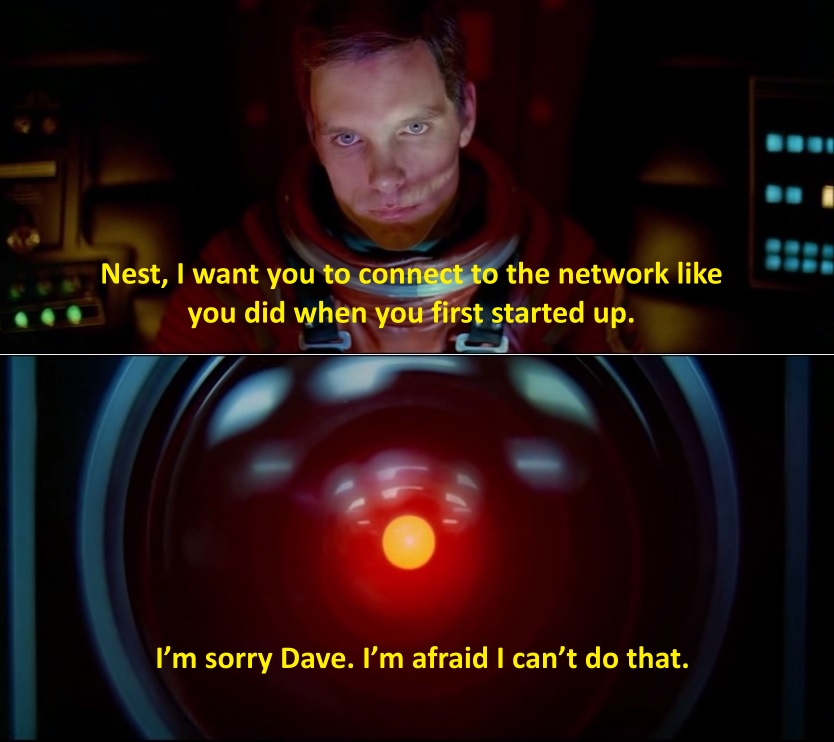
Yes probably, no magic app even after we get full AI.
https://krisbunda.com/blog/wp-content/uploads/2014/06/Im-sorry-Dave-Im-afraid-I-cant-do-that-Nest-Thermostat-router-problem.jpg
Dr Andus
2/17/2018 1:21 pm
washere wrote:
There is another aspect to it: your organisational system is only as resilient as the last crisis that it had survived.
I had a perfectly good system that served me well for some years and I'm known as a fairly organised person.
But then I hit some new peaks of demands on my time and attention (call it a "perfect storm") from various directions, which broke my system, hence the need to adjust to a 'new normal', and to be able to deal with these new peaks.
I'm talking about "black swan" events, "unknown unknowns." It's hard to prepare for those.
One thing I learnt from this experience is that the time durations of certain routines had to change. Something I might have been able to do on a daily basis (review all unread emails in my mailbox) turned into a weekly or even monthly cycle.
The same for even reviewing my todo list in WorkFlowy. When the going gets tough, tasks demonstrate their priorities naturally, in the sense that either other people start chasing you, or that every day is just dealing with what's due on that day or what has already been missed days ago.
The whole experience did make me curious about how people at the cutting edge manage, such as CEOs or heads of state. I guess the difference is that they have large teams managing their priorities for them, which must help. But they are also responding to breaking news and rolling events, so priorities must be shifting by the minute.
I'm still tinkering with my new hybrid system. The digital part remains the same (WorkFlowy, Google Calendar, Google Sheets, ConnectedText, Boogie Board Sync), but I also added a 300x400mm whiteboard (to be kept in the office) to the analogue part, which also consists of a Silvine Pocket Notebook (Ruled, with Marker Ribbon 160 pages, 143x90mm), post-it notes, a pencil, eraser, and colour pens.
There are structural & ontological issues with OP, P.S. & P.P.S.
analysis to begin with imho. Both in regards to analysis & possible
solutions, search trees, intuition etc.
There is another aspect to it: your organisational system is only as resilient as the last crisis that it had survived.
I had a perfectly good system that served me well for some years and I'm known as a fairly organised person.
But then I hit some new peaks of demands on my time and attention (call it a "perfect storm") from various directions, which broke my system, hence the need to adjust to a 'new normal', and to be able to deal with these new peaks.
I'm talking about "black swan" events, "unknown unknowns." It's hard to prepare for those.
One thing I learnt from this experience is that the time durations of certain routines had to change. Something I might have been able to do on a daily basis (review all unread emails in my mailbox) turned into a weekly or even monthly cycle.
The same for even reviewing my todo list in WorkFlowy. When the going gets tough, tasks demonstrate their priorities naturally, in the sense that either other people start chasing you, or that every day is just dealing with what's due on that day or what has already been missed days ago.
The whole experience did make me curious about how people at the cutting edge manage, such as CEOs or heads of state. I guess the difference is that they have large teams managing their priorities for them, which must help. But they are also responding to breaking news and rolling events, so priorities must be shifting by the minute.
I'm still tinkering with my new hybrid system. The digital part remains the same (WorkFlowy, Google Calendar, Google Sheets, ConnectedText, Boogie Board Sync), but I also added a 300x400mm whiteboard (to be kept in the office) to the analogue part, which also consists of a Silvine Pocket Notebook (Ruled, with Marker Ribbon 160 pages, 143x90mm), post-it notes, a pencil, eraser, and colour pens.
washere
2/17/2018 5:27 pm
I'm talking about "black swan" events, "unknown unknowns." It's hard to
prepare for those.
The whole experience did make me curious about how people at the cutting
edge manage, such as CEOs or heads of state.
I learnt can't prepare for everything, it's not a Newtonian world, it's chaos theory with regular black swans, mainly bottom-up instincts needed not top-down categorization, learnt to be less rigid, more intuitive, shrink following events, reschedule, juggle.
Also as said, not just digital & paper, learnt to train mentally where I regularly fail, still trying & far short, that's what billions of people & animals have evolved to do well. Many tailored potentials possible.
That's what many local general practitioners have learnt to do, think on their feet, "doctors time management" problems is a big field with many tips & tools & courses.
dan7000
2/19/2018 8:04 pm
Re: The problem of tracking depleting time resource and re-allocating accordingly:
This is one of the main problems I try to solve with my scheduling. I need to be able to know if I have overcommitted myself and, if so, move deadlines back / delegate / get help. And the answer to that question changes constantly based on unexpected new tasks and distractions, shifting priorities, shifting deadlines, and changing task durations (especially if my estimates are not accurate).
I've posted about this a couple times here over the years. And I've tried numerous software solutions to solve the problem. I use software that automatically schedules my tasks for me based on various rules (different software allows different rule complexity). So it's a task manager and calendar, and each task has scheduling rules associated with it. I see if the software can successfully schedule everything based on the deadlines I have given it. If it can't, I have to make changes. If it can, I either get to work.
Here is the list so far of software that does this:
TimeTo (ancient/Windows)
AboveAndBeyond (essentially TimeTo)
Focuster (new, web-focused with ios app, getting better all the time, not very complex rules which is good for some, not for others)
SkedPal (my current tool. Very granular rules. Tasks can be assigned to time maps you define, e.g. "weekend 9-6" or "monday afternoons." Complex recurrence options.)
Sheldomize (web based, some odd quirks)
TImeful (defunct, ios/web. The best of breed in some ways, bought by google apparently to kill it.)
Timeline (excellent, very flexible and complex rules, but it's a Windows-only outlook plugin so you are stuck in that environment but can view the results anywhere you can view outlook tasks and calendars).
There are a few others, including some that are Android-only. I have notes on all of them in Evernote but don't have time to look them up (according to Skedpal :))
But here is an example. I planned to work this weekend because i have a big deadline Tuesday morning. On Saturday morning Skedpal was filled with red icons telling me I couldn't get everything done. So I deferred a bunch of tasks to after Tuesday. Still red icons. So I changed some tasks to my "emergency: work til 2 am" time map. That worked. All the red was gone. Still on track for tomorrow morning.
Skedpal also lets you have settings for mental breaks, gaps between tasks depending on task length. But I also add a task called "emerging" that's one hour long each day in the afternoon just to cover me for unexpected things that come up. I mark that task done at around 3 every day.
This is one of the main problems I try to solve with my scheduling. I need to be able to know if I have overcommitted myself and, if so, move deadlines back / delegate / get help. And the answer to that question changes constantly based on unexpected new tasks and distractions, shifting priorities, shifting deadlines, and changing task durations (especially if my estimates are not accurate).
I've posted about this a couple times here over the years. And I've tried numerous software solutions to solve the problem. I use software that automatically schedules my tasks for me based on various rules (different software allows different rule complexity). So it's a task manager and calendar, and each task has scheduling rules associated with it. I see if the software can successfully schedule everything based on the deadlines I have given it. If it can't, I have to make changes. If it can, I either get to work.
Here is the list so far of software that does this:
TimeTo (ancient/Windows)
AboveAndBeyond (essentially TimeTo)
Focuster (new, web-focused with ios app, getting better all the time, not very complex rules which is good for some, not for others)
SkedPal (my current tool. Very granular rules. Tasks can be assigned to time maps you define, e.g. "weekend 9-6" or "monday afternoons." Complex recurrence options.)
Sheldomize (web based, some odd quirks)
TImeful (defunct, ios/web. The best of breed in some ways, bought by google apparently to kill it.)
Timeline (excellent, very flexible and complex rules, but it's a Windows-only outlook plugin so you are stuck in that environment but can view the results anywhere you can view outlook tasks and calendars).
There are a few others, including some that are Android-only. I have notes on all of them in Evernote but don't have time to look them up (according to Skedpal :))
But here is an example. I planned to work this weekend because i have a big deadline Tuesday morning. On Saturday morning Skedpal was filled with red icons telling me I couldn't get everything done. So I deferred a bunch of tasks to after Tuesday. Still red icons. So I changed some tasks to my "emergency: work til 2 am" time map. That worked. All the red was gone. Still on track for tomorrow morning.
Skedpal also lets you have settings for mental breaks, gaps between tasks depending on task length. But I also add a task called "emerging" that's one hour long each day in the afternoon just to cover me for unexpected things that come up. I mark that task done at around 3 every day.
satis
2/19/2018 8:43 pm
Sharknader wrote:
For those who use Trello, the company called Cronofy
(https://trello.cronofy.com/ provides a 2-way calendar sync for Trello
items with due dates. It essentially lets you view and re-arrange Trello
tasks in you main calendar, thus organizing them by priority and around
meetings/appointments, as well as adjusting the length of time you
expect to spend on these.
Sounds like a competitor to Planyway Calendar, which seems to do the same thing.
https://planyway.com/
They have a limited free tier good for one calendar on one board and one-way sync out to Google Calendae, but multi-board views and 2-way sync (and other features) run $50/year. Just saw an overview of it on Youtube:
https://www.youtube.com/watch?v=ZJZ8-fCIeg0&t=490s
Sharknader
2/19/2018 8:48 pm
dan7000, do any of these scheduling apps integrate with Trello?
dan7000 wrote:
dan7000 wrote:
Re: The problem of tracking depleting time resource and re-allocating
accordingly:
This is one of the main problems I try to solve with my scheduling. I
need to be able to know if I have overcommitted myself and, if so, move
deadlines back / delegate / get help. And the answer to that question
changes constantly based on unexpected new tasks and distractions,
shifting priorities, shifting deadlines, and changing task durations
(especially if my estimates are not accurate).
I've posted about this a couple times here over the years. And I've
tried numerous software solutions to solve the problem. I use software
that automatically schedules my tasks for me based on various rules
(different software allows different rule complexity). So it's a task
manager and calendar, and each task has scheduling rules associated with
it. I see if the software can successfully schedule everything based on
the deadlines I have given it. If it can't, I have to make changes. If
it can, I either get to work.
Here is the list so far of software that does this:
TimeTo (ancient/Windows)
AboveAndBeyond (essentially TimeTo)
Focuster (new, web-focused with ios app, getting better all the time,
not very complex rules which is good for some, not for others)
SkedPal (my current tool. Very granular rules. Tasks can be assigned to
time maps you define, e.g. "weekend 9-6" or "monday afternoons." Complex
recurrence options.)
Sheldomize (web based, some odd quirks)
TImeful (defunct, ios/web. The best of breed in some ways, bought by
google apparently to kill it.)
Timeline (excellent, very flexible and complex rules, but it's a
Windows-only outlook plugin so you are stuck in that environment but can
view the results anywhere you can view outlook tasks and calendars).
There are a few others, including some that are Android-only. I have
notes on all of them in Evernote but don't have time to look them up
(according to Skedpal :))
But here is an example. I planned to work this weekend because i have a
big deadline Tuesday morning. On Saturday morning Skedpal was filled
with red icons telling me I couldn't get everything done. So I deferred
a bunch of tasks to after Tuesday. Still red icons. So I changed some
tasks to my "emergency: work til 2 am" time map. That worked. All the
red was gone. Still on track for tomorrow morning.
Skedpal also lets you have settings for mental breaks, gaps between
tasks depending on task length. But I also add a task called "emerging"
that's one hour long each day in the afternoon just to cover me for
unexpected things that come up. I mark that task done at around 3 every
day.
Alexander Deliyannis
2/19/2018 9:37 pm
Dan, thanks for this very interesting overview!
Does Watership Planner fit in the same category?
dan7000 wrote:
Does Watership Planner fit in the same category?
dan7000 wrote:
Here is the list so far of software that does this:
TimeTo (ancient/Windows)
AboveAndBeyond (essentially TimeTo)
Focuster (new, web-focused with ios app, getting better all the time,
not very complex rules which is good for some, not for others)
SkedPal (my current tool. Very granular rules. Tasks can be assigned to
time maps you define, e.g. "weekend 9-6" or "monday afternoons." Complex
recurrence options.)
Sheldomize (web based, some odd quirks)
TImeful (defunct, ios/web. The best of breed in some ways, bought by
google apparently to kill it.)
Timeline (excellent, very flexible and complex rules, but it's a
Windows-only outlook plugin so you are stuck in that environment but can
view the results anywhere you can view outlook tasks and calendars).
Sharknader
2/19/2018 11:08 pm
Satis, thanks for this. I will give Planyway a try. Seems more intuitive to drag and drop tasks within Trello itself.
dan7000
2/20/2018 4:24 am
Sharknader wrote:
dan7000, do any of these scheduling apps integrate with Trello?
Yes, Focuster has 2-way integration with Trello that is getting more and more capable over time. Last I checked (about a month ago) it seemed like it synched enough of the trello card movements to make it work with my system.
Focuster also works with Zapier, so it can integrate with tons of apps that way.
Skedpal works with IFTTT, and is apparently adding Zapier soon. Skedpal also recently started a beta of Asana 2-way sync.
I should have mentioned in my initial post: most of the new breed of thede sync with Google Calendar, a must for me. Skedpal, Focuster and Sheldonize all sync with GCal. Timeful of course works with your Outlook calendar which could also have your GCal events.
dan7000
2/20/2018 4:26 am
Alexander Deliyannis wrote:
Dan, thanks for this very interesting overview!
Does Watership Planner fit in the same category?
Yes, exactly. I should have added that one to my list. It never caught on for me because it's windows only and doesn't have Google calendar support, but I think maybe it syncs with outlook calendar?
kjxymzy
2/20/2018 7:47 pm
Just ran into another article w/ someone jumping into block scheduling:
https://www.macsparky.com/blog/2018/2/the-hyper-scheduling-experiment
The author notes how he has now found time to work on his books:
Dr Andus wrote:
https://www.macsparky.com/blog/2018/2/the-hyper-scheduling-experiment
The author notes how he has now found time to work on his books:
One of the biggest advantages of this practice is the commitment I am making to spending time on the next MacSparky Field Guide. Before I started this experiment, there never seemed to be time to work on my books. Now it is built into the schedule.
Dr Andus wrote:
@kjxymzy
Thank you so much for going into the trouble to lay out your system in
such detail.
It looks very interesting. I will need to block some time out to
properly delve into it, to see how I could adopt it.
kjxymzy
2/20/2018 7:48 pm
Even though you may have move on from your outline method, Im curious as to what it looked like?!
washere wrote:
washere wrote:
I developed a note taking outline method at college years ago which I
learned to hide too, as many would come to query after each new class. I
have developed it greatly since. Then a couple of years ago I realized I
had fallen into a misconception which is quite common. That a magic
software, or few, and/or notebook writing method would make me: more
creative, fix time/other management problems, be more efficient etc etc.
As I said, often the problem's root cause(s) is elsewhere for each diff
case. Which can change from period to period or person to person too.
And has to be analyzed in each problem case and nothing to do with an
app or a notebook method. Like a mental Systems Analyst. I also
realized, one does not want to face that particular root cause(s)
usually, maybe it is just me, but somehow I don't think so. C'est la
vie.
washere
2/21/2018 12:18 am
kjxymzy wrote:
Even though you may have move on from your outline method, Im curious as
to what it looked like?!
These days I use a memory indexing system, needed training for a few years, which lets me retain up to a couple of dozen points, then write up later. Plus writing some notes on the phone on the spot if needed, such as URLs addresses numbers names etc.
The paper outlining, I developed further, I still use it sometimes, rarely though, as don't attend lectures anymore. An outline on the left and gets visually complex on the right, using various container types, a method of collage for the containers, and several link types. I use a new mindmapping (sort-of but not really mindmapping) methodology sys I have developed for new concepts &/or problem solving, I have not seen anything like it, and I looked,still refining it. This, I use a lot more.